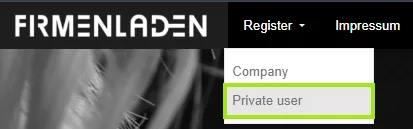
After successfully opening the link, click on the “Register” tab.
Then select “Company”.
STEP 2
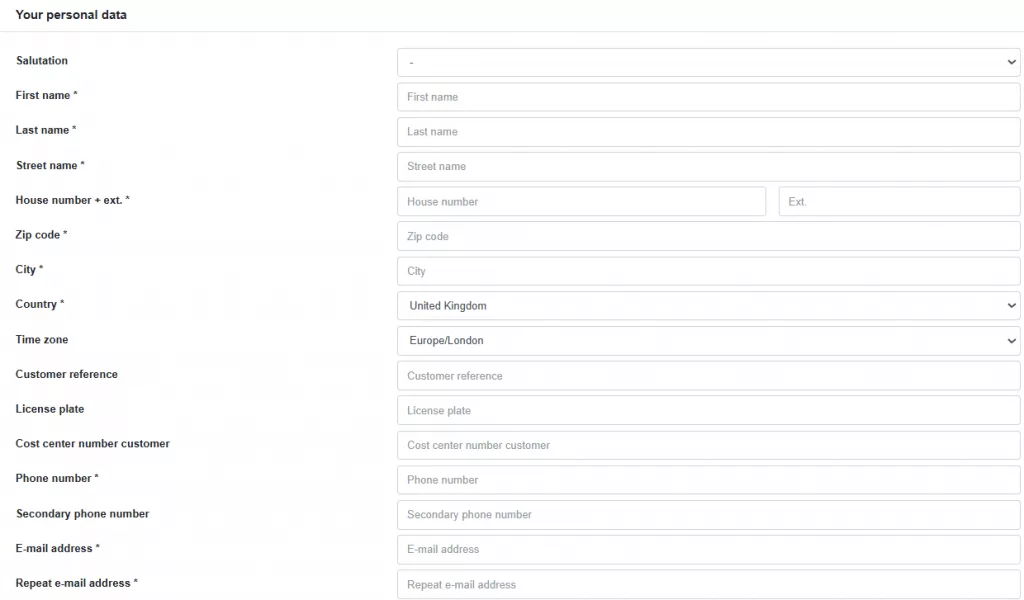
In the section “Your personal data”, enter the following details:
REQUIRED
Salutation
First and last name
Street, house number
Postal code & city
Country
Email address, confirm email address
We kindly ask you to use your company email address. Alternatively, you can also provide a private email address.
Vehicle license plate
Even if this is not a required field, please provide your license plate.
OPTIONAL
Customer reference
Cost center number customer
Phone number
Secondary phone number
STEP 3
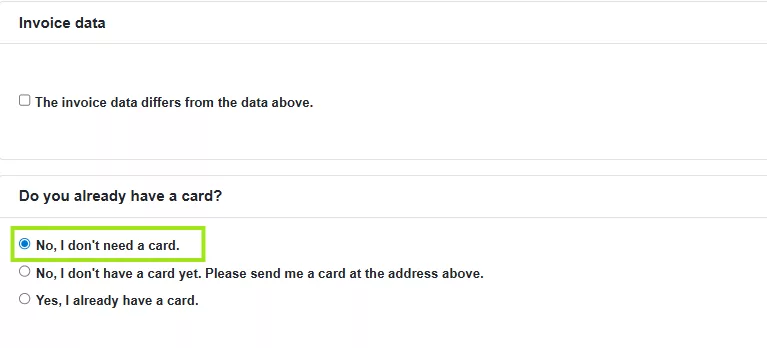
In the subsection “Invoice data”, click the checkbox if your billing details differ from the information you entered above.
In the subsection “Do you already have a card?” Please select “No, I do not need a card.” Your card will be automatically provided during the further process. The option “Yes, I need a card” is only intended for special cases where no automatic delivery or provision through your fleet management system takes place.
STEP 4
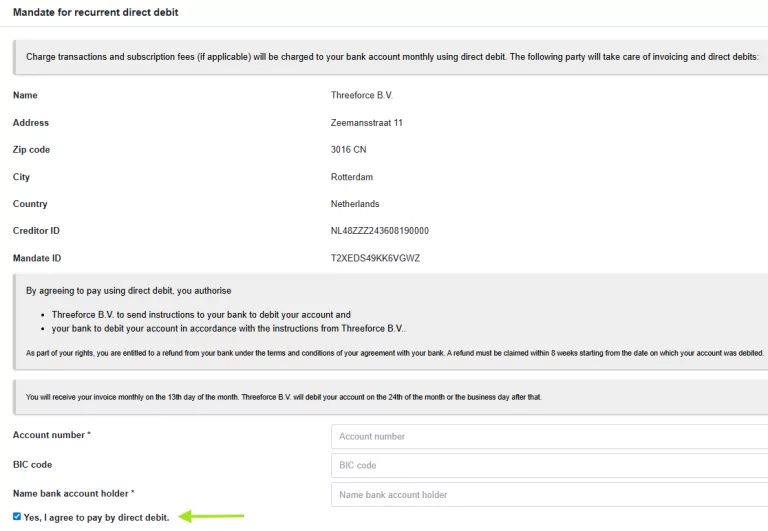
In the subsection “Mandate for recurrent direct debit”, you will be informed that your charging transactions and any monthly subscription fees will be collected once per month by direct debit.
Enter the following details:
REQUIRED
Account number
Name bank account holder
OPTIONAL
BIC code
If you have a European bank account, please do not enter a BIC code.
Click the checkbox if you agree to automatic direct debit. If you do not agree to automatic direct debit, you will receive a monthly invoice with a 14-day payment term.
STEP 5
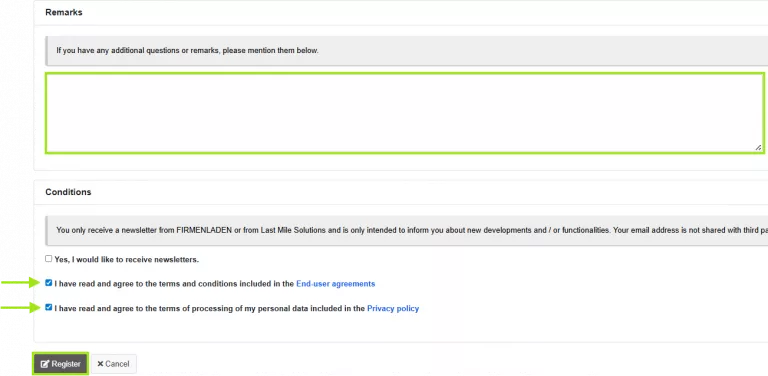
In the subsection “Remarks”, enter the official company name of your employer.
This field must be completed so your employee account can be assigned to your company.
In the subsection “Conditions”
Accept the “End-user agreements”
Accept the “Privacy policy”
The newsletter option is voluntary.
Click “Register” After submitting your data successfully, you will receive an email to complete the registration. Please click the link in the email.